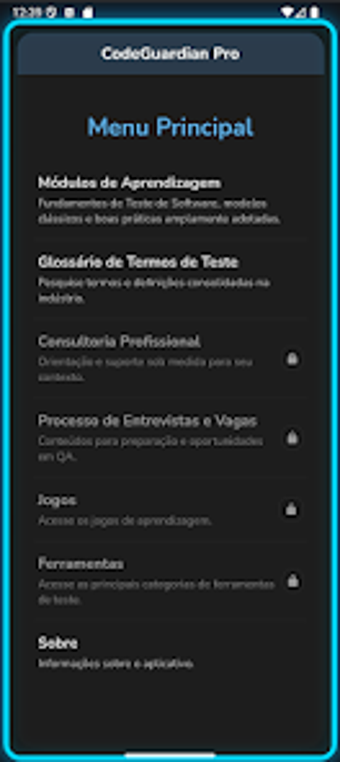
Mobile study guide for QA candidates and working testers
Organized as modular study units and a searchable glossary, CodeGuardian Pro presents testing theory, interview questions, and short reference reads in a compact Android app. Developed by Felipe A.B. Geraldi for the education-reference category, the app bundles lifecycle modules, a categorized interview bank, and an offline-ready reading layout. It suits beginners, career changers, and active testers who need a portable, privacy-focused study and reference companion during study sessions or on the job.
What learners can use the app for
CodeGuardian Pro supports guided study of software testing through module-based content that covers the test lifecycle and specific topics such as static testing and test analysis. The app groups material into sections for focused review, and it includes short stories and reference materials to illustrate concepts, which learners can open directly from the section-based navigation for paced study sessions.
How the app teaches testing concepts
The app applies a reference-and-review approach by providing a glossary of testing terms and categorized interview questions and answers. This structure lets users review definitions and sample Q&A for technical interviews; the interview bank is organized by category, so study sessions can target specific topics like activity management or testing tools.
Who it's appropriate for and accessibility
Designed for entry-level learners and working testers, the app states suitability for students, professionals moving into QA, and active testers seeking quick reference. It's optimized for Android and updated for recent versions (including Android 16 support), and it requires no account, reflecting a privacy-focused design that removes registration barriers for learners on mobile devices.
How it tracks progress and adapts content
Progress tracking is minimal by design; the source lists structured modules and section navigation but does not describe automated performance metrics or spaced review scheduling. The app concentrates on content access and organized study material rather than built-in score tracking or individualized scheduling.
A practical mobile reference for QA study, focused on reading and review
CodeGuardian Pro is a compact study companion for learners who prefer organized reading and curated Q&A over interactive labs or automated assessment. Its privacy-first, no-registration model and module layout make it convenient for on-the-go review; however, educators or learners needing built-in progress analytics or hands-on testing exercises should pair the app with other tools.